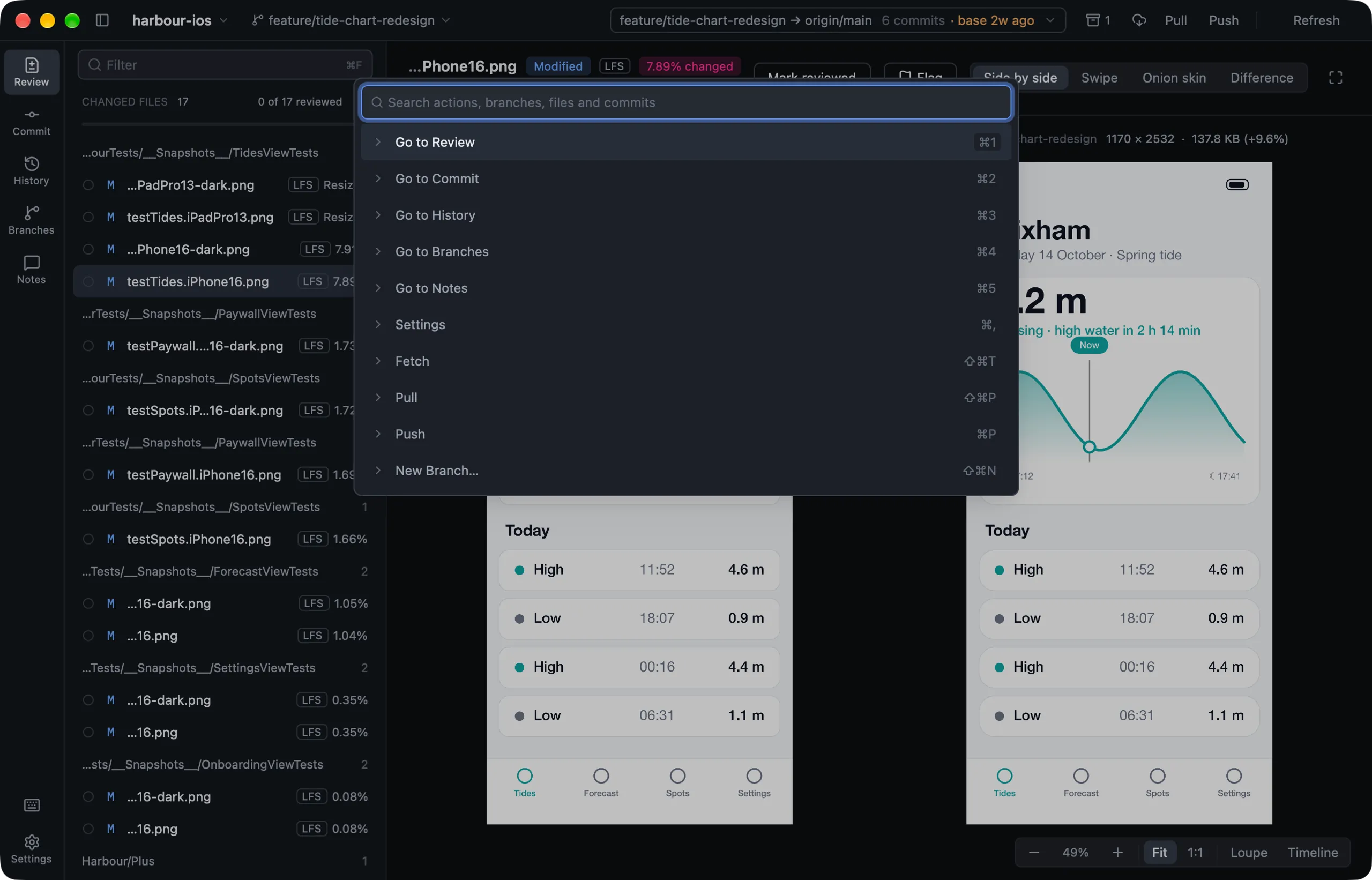
Command palette
⌘K searches every action, branch, changed file and the last 300 commits. Type any letters in order: gobr finds Go to Branches.
The essentials
| Key | What it does |
|---|---|
⌘1 to ⌘5 |
Review, Commit, History, Branches, Notes |
⌘K |
Command palette |
? |
Show every shortcut |
Space |
Mark reviewed on Review, stage on Commit |
N |
Next unreviewed file |
⌘↩ |
Commit |
⌘Z |
Undo the last operation |
⌘F |
Filter or search |
⌘R |
Rescan the repository |
⌘O |
Open another repository |
Single-key shortcuts are ignored while you type in a field. On Linux, press Ctrl wherever this guide says ⌘.
Changing a shortcut
Press ?, click a shortcut, and press the new keys. Or edit keymap.toml, which Settings › Advanced › Keyboard shortcuts opens:
push = "mod-u"          # mod is ⌘ on a Mac and Ctrl on Linux
loupe = ["l", "mod-l"]  # several keys
sort-order = []         # no shortcut at all
Reset… gives every shortcut back.