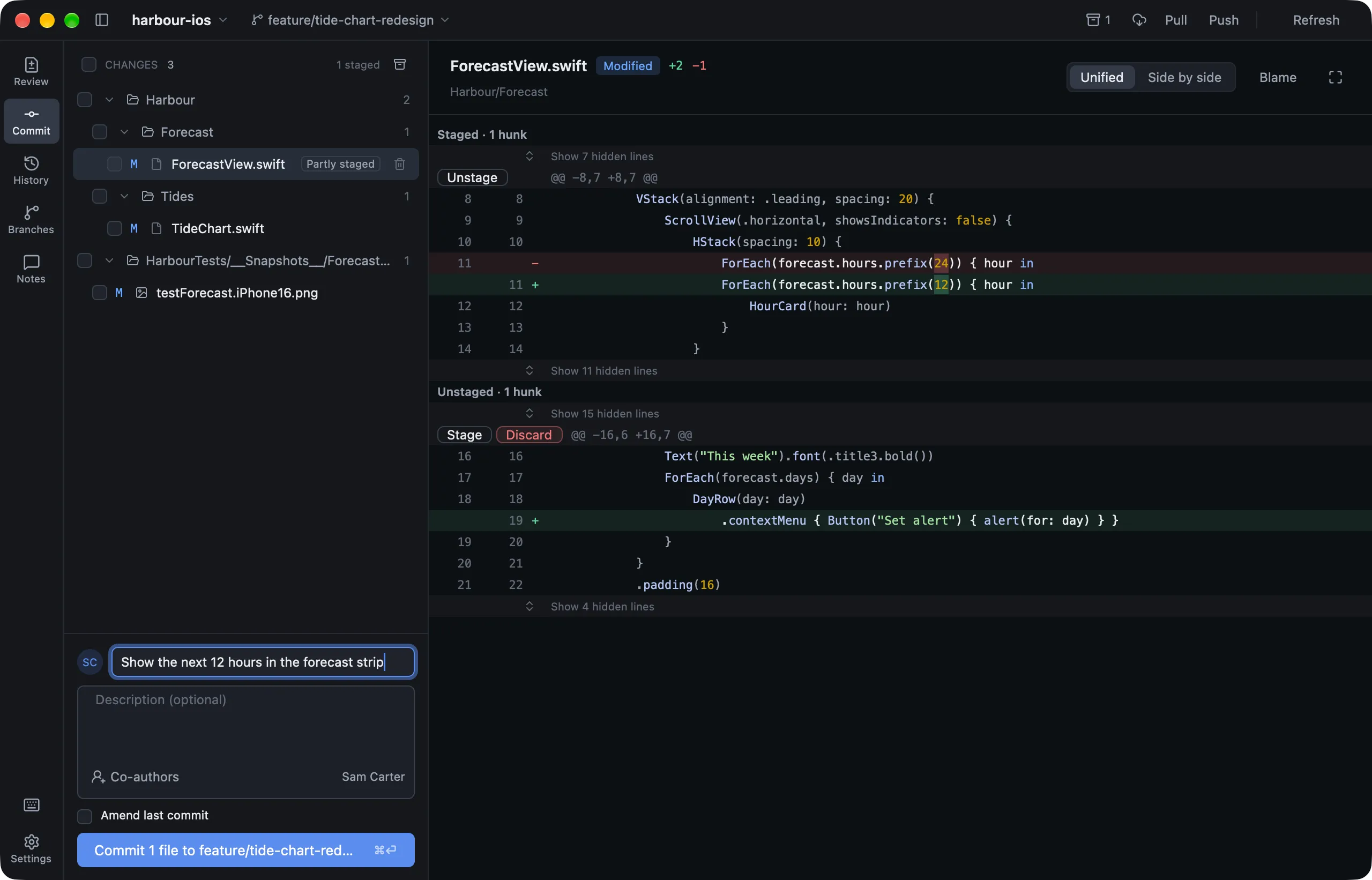
The Commit page (⌘2) lists every uncommitted change.
Staging
| To | Do this |
|---|---|
| Stage a file | Tick it, or select it and press Space |
| Stage several | Choose them with ⌘A, ⌘-click or ⇧-click, then press Space |
| Stage a hunk | Click Stage on the hunk |
| Stage a few lines | Click their line numbers (⇧-click for a run), then Stage N lines |
| Discard | Click the bin or press ⌫. Lusca asks first and keeps a recovery copy |
Hunks and lines are applied the way git add -p applies them. New, deleted, renamed, binary and LFS files are staged whole.
Committing
- Write a summary, and a description if you like, then click Commit or press
⌘↩. - Your hooks and signing settings run as usual.
- Undo appears right after you commit. It puts the changes back as staged, with the message back in the box.
- Amend last commit loads the last commit’s message. If that commit is pushed, Lusca warns you first.
Co-authors
Click Co-authors under the description and search everyone who has committed to the repository. Each person you pick becomes a Co-authored-by: line. Pasting Name <email> works too.
Emoji
Shortcodes such as :lemon: show as 🍋 everywhere, as on GitHub. Type :lem in a message to choose from suggestions.